Why Your Chat Widget Books Meetings With the Wrong People
November 11, 2026

The widget does what you told it to do
Most chat widgets are set up with one goal: get the visitor to book a meeting. That goal is reasonable, but it treats every visitor the same. A student writing a school report, a job seeker, a competitor doing research, and a company that could pay you well for a year of work can all type the same sentence: “Can I talk to someone?” If the widget sends each of them to your calendar, your calendar fills with the wrong people.
We see this pattern often when we set up chat for small businesses and agencies. The problem is rarely the booking tool itself. It is that nobody decided, in advance, what a good meeting looks like.
Why wrong-fit meetings happen
There are three common causes:
- No qualifying questions. The widget jumps straight from “hello” to a calendar link, so it never learns who it is talking to.
- Vague offers. If your site says “Book a call with us” without naming who the call is for, anyone curious will click.
- One destination for everything. Support questions, partnership pitches, and sales enquiries all land on the same calendar, so your sales time gets used for support.
Each of these is a setup decision, which means each can be changed.
Qualify before you offer the calendar
A better approach is to ask a few short questions first, then offer a meeting only when the answers suggest a fit. The questions should be ones you would ask on a first call anyway. Typically that means:
- What is your role, and what company are you with?
- What are you trying to get done in the next few months?
- Roughly how big is the project or team involved?
- Is there a timeline, or a decision you are working toward?
You do not need a long form. Three or four questions asked conversationally are usually enough. The point is to collect enough signal that a human can see, before the call, whether it is worth their time.
What it looks like in practice
Here is a hypothetical example of a qualified exchange for a small design agency. The visitor is not a real customer; the script shows the flow.
- Visitor: Hi, do you do website redesigns?
- Agent: We do. Are you looking at a redesign for your own business or for a client?
- Visitor: My own. We’re a six-person accounting firm.
- Agent: Thanks. What’s prompting the change, and do you have a rough timeline in mind?
- Visitor: Our current site is outdated and we want it done before tax season, so within about six weeks.
- Agent: That’s a useful timeline. Based on that, a short call with our team would make sense. Would tomorrow afternoon or Thursday morning work better?
Notice what the agent did not do. It did not send a calendar link in the first reply, and it did not promise a price or a result. It asked two or three questions, confirmed the fit, and then offered a time.
A visitor who said “I’m writing a report on web design trends” would get a different response: a link to a relevant guide, and no meeting offer. That is the outcome you want. The widget should be able to say no to a meeting as easily as it says yes.
Route different visitors to different places
Not every enquiry needs a sales call. Decide where each type should go:
- Support questions go to documentation or a support form.
- Partnership and vendor pitches go to an email address you check on a schedule.
- Qualified sales enquiries go to a calendar that only your sales person sees.
When the widget knows the difference, your calendar stops being a catch-all.
Review the conversations you are getting
Qualification is not a one-time setup. Read a sample of booked meetings each week and ask whether they were worth the call. If a pattern shows up, such as many students or a particular type of vendor, add a question or a routing rule that catches it. Small adjustments usually fix most of the problem within a few weeks.
Where to start
Pick the one or two questions that matter most for your business, write the exact wording you would use on a first call, and set the widget to ask those before it offers a time. Then check the results after two weeks. You will likely find that fewer meetings get booked, and more of them are the ones you wanted.
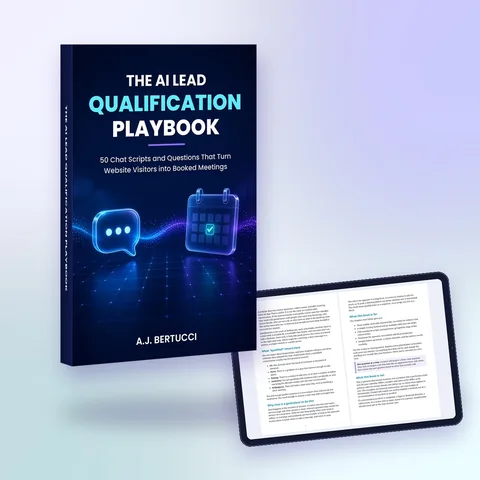
For a step-by-step set of qualifying questions and routing templates, download the free playbook at https://aileadsagent.com/ebook/.
When you are ready to set up qualification and routing on your own site, compare options at https://aileadsagent.com/plans/.
This article was written with the help of AI.